

A website audit for SEO covers technical health, on-page signals, content gaps, and your link profile. Most guides treat every check as equal. This one shows you which fixes move rankings in the first week, which to schedule for the quarter, and which to stop worrying about.
Most website audit guides hand you an 80-point spreadsheet and call it a strategy. You end up paralysed, fixing broken image alt tags while a crawl error quietly blocks your most important landing page from Google entirely.
A useful website audit for SEO is not a checklist — it is a triage exercise. Some issues are bleeding your rankings right now. Others matter in three months. A handful will never meaningfully affect your organic traffic regardless of how much time you spend on them. Knowing which is which is the real skill.
This guide walks you through a structured SEO site audit in five stages, sequenced by actual impact. By the end, you will have a prioritised action list — not a spreadsheet full of amber cells — and a clear picture of where your site stands.
The five-stage audit sequence
Before running a single tool, it helps to understand the order in which audit findings compound. A content gap problem is irrelevant if Google cannot crawl your pages. An on-page optimisation is wasted if the page loads in eight seconds on mobile. The sequence below follows that logic: fix the foundations first, then build upward.
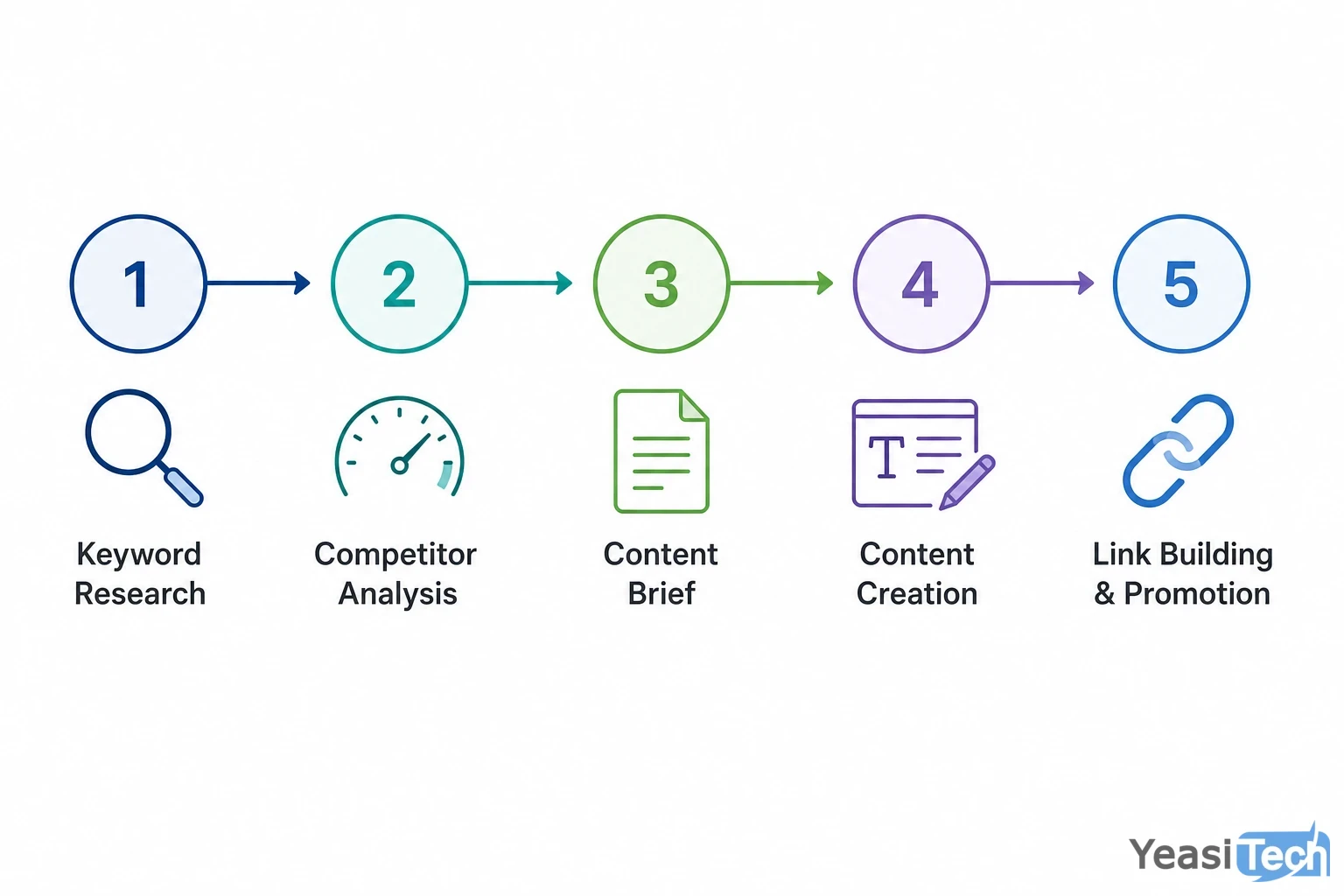
The five audit stages in sequence — each stage is a prerequisite for the one that follows.
Here is the five-stage sequence used across the client sites we audit at Yeasitech, typically inherited from previous agencies or in-house teams who built fast and audited never:
- Crawlability and indexation: Can Google find and index your pages?
- Core Web Vitals and technical health: Do your pages load fast enough to stay indexed and satisfy users?
- On-page SEO signals: Are your pages optimised for the queries you want to rank for?
- Content gap analysis: Are you missing topics your audience is actively searching?
- Backlink profile review: Are your links helping or quietly hurting you?
Each stage feeds the next. Skipping to stage four without clearing stage one means your content work may never surface in search at all.
Stage one: crawlability and indexation
Open Google Search Console and navigate to the Coverage report. You are looking for three things: pages with errors, pages marked as excluded, and the ratio of indexed pages to the total pages on your site.
Common blockers found at this stage:
- Noindex tags on live pages: Developers often add
noindexduring staging and forget to remove it on launch. Check your most important service and product pages individually if the coverage numbers look low. - Blocked resources in robots.txt: A misconfigured robots.txt can accidentally disallow CSS or JavaScript files that Google needs to render your pages correctly.
- Redirect chains: A page that redirects through three or four hops before reaching the destination wastes crawl budget and dilutes any link equity pointing at the original URL. Use Screaming Frog or Sitebulb to map your redirect chains and collapse them to single hops.
- Duplicate content without canonical tags: If your CMS generates multiple URLs for the same page (with and without trailing slashes, for example, or filtered category pages), you need canonical tags telling Google which version to index.
Fix crawlability issues first. Nothing else in this audit matters until Google can reliably reach and index your content.
Stage two: Core Web Vitals and technical health
Google’s Core Web Vitals are a direct ranking input for all searches. The three metrics that matter are Largest Contentful Paint (LCP), Interaction to Next Paint (INP), and Cumulative Layout Shift (CLS).
Run your URLs through PageSpeed Insights and pull your field data from Search Console under Core Web Vitals. Field data reflects real user experience across devices and network conditions — it is more meaningful than lab scores.
The most common technical issues that surface at this stage:
- Uncompressed images: A hero image served at 2MB on mobile will fail LCP on most connections. Convert images to WebP and serve them at the correct display dimensions.
- Render-blocking scripts: Third-party scripts (chat widgets, analytics, ad tags) loaded synchronously in the
<head>delay the main thread. Defer non-critical scripts. - Layout shifts from web fonts or late-loading ads: Reserve space for dynamic elements so the page does not visually jump as it loads. This directly affects CLS.
- Missing or thin mobile experience: Google indexes the mobile version of your site. If your mobile layout collapses navigation or hides content, your indexed content is thinner than you think.
A clean technical bill of health does not guarantee rankings, but a poor one creates a ceiling you cannot break through regardless of how good your content is.
Stage three: on-page SEO audit
On-page SEO is the layer most founders over-optimise in isolation while ignoring stages one and two. Done in the right order, it compounds on a healthy technical foundation.
For each priority page, check:
- Title tag: Does it include the target keyword near the front and stay under 60 characters? Title tags truncated by Google suggest you are missing click-throughs you have already earned.
- Meta description: Not a ranking factor, but a direct driver of click-through rate. Write it as an ad for the page, not a summary of it.
- H1 and heading structure: One H1 per page, with the target keyword present. H2 and H3 headings should reflect the subtopics a searcher expects to find, not just keyword repetitions.
- Keyword placement: Target keyword in the first 150 words, in at least one H2, and naturally throughout the page. Density rules are outdated — read it aloud and ask if it sounds forced.
- Internal linking: Pages with no internal links pointing at them are invisible to Google’s crawlers regardless of their quality. For every important page, ensure at least two or three relevant pages link to it with descriptive anchor text.
A practical on-page SEO audit does not require a paid tool for every check. Search Console tells you which queries pages are already ranking for — often you will find a page ranking on page two for a keyword it barely mentions. Adding that keyword naturally to the title, H1, and opening paragraph frequently moves it to page one within weeks.
For a broader view of SEO strategy and optimisation, your on-page findings feed directly into your content calendar decisions.
Stage four: content gap analysis
A content gap is a topic your target audience searches for that your site does not answer. These gaps represent traffic you are not capturing — not because your SEO is wrong, but because the page simply does not exist.
The fastest way to find gaps:
- Competitor keyword comparison: Use Ahrefs or SEMrush to compare your domain against two or three competitors ranking for your target keywords. Filter for keywords they rank in positions one through ten that you do not rank for at all.
- Search Console query mining: Sort your queries by impressions with low clicks. A query with 2,000 impressions and a 0.5% click-through rate either needs a better title tag (an on-page fix) or a dedicated page that better matches search intent.
- "People Also Ask" expansion: For your core topics, note every PAA question Google surfaces. Each unanswered question is a candidate for an FAQ section or a new article.
Content gap work pays off across time horizons. New pages targeting high-volume gaps take three to six months to gain traction. But adding a well-structured FAQ section to an existing page that already has authority can move rankings within weeks — sometimes days.
Refocusing content to target location-specific search gaps and create link-worthy posts helped one hotel double its direct booking conversions within six months. The same principle applies to any site sitting on underused authority: find the gaps, fill them with intent-matched content, and let existing domain strength accelerate the result.
How to prioritise audit findings
By the time you finish stages one through five, you will have a list of issues. Without a prioritisation framework, that list becomes a source of anxiety rather than a plan.
Use this triage approach:
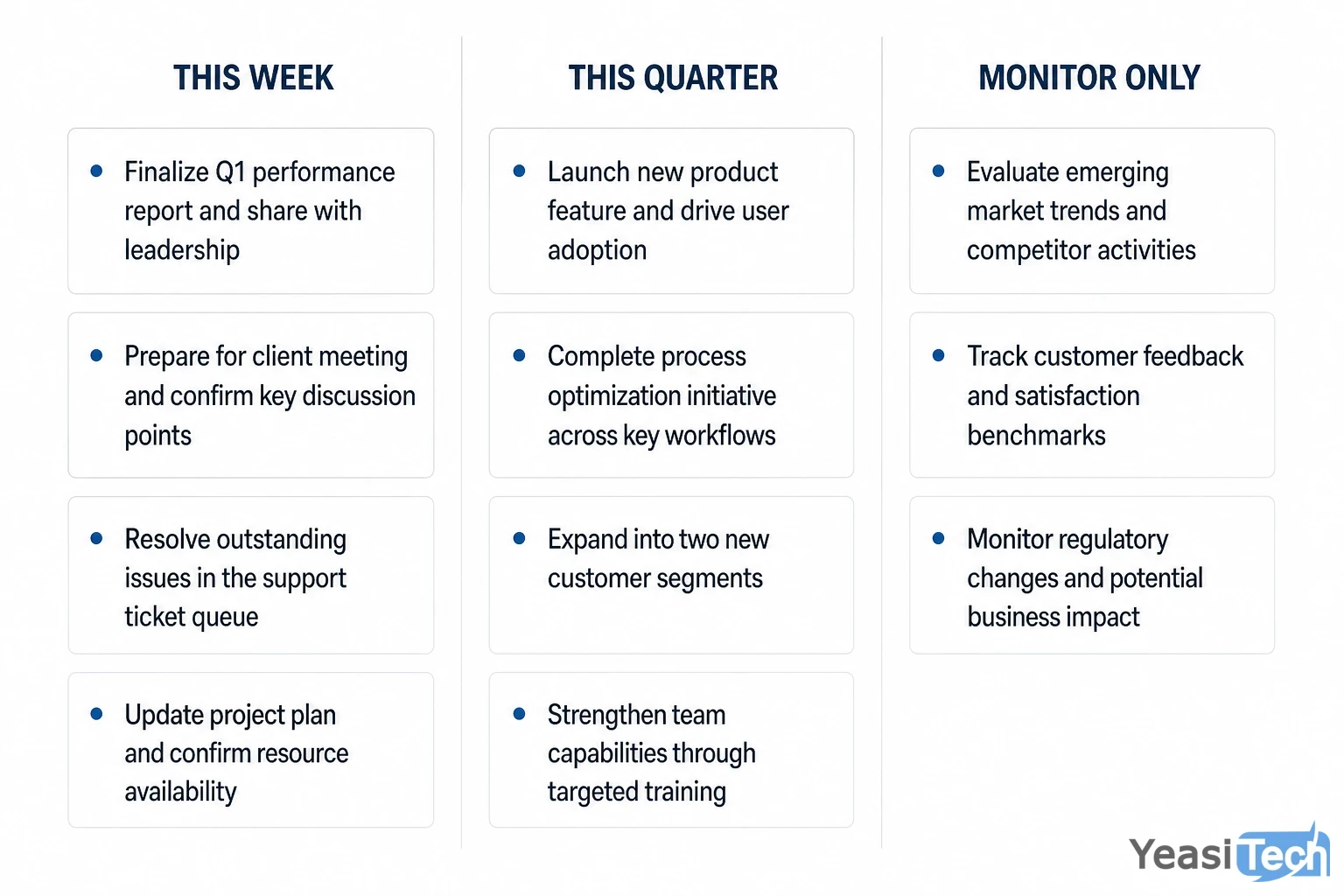
Triage framework showing which audit findings to action immediately, which to schedule, and which to track without reacting to weekly.
Fix this week (crawl and index blockers, Core Web Vitals failures on key pages): These are the issues actively suppressing rankings right now. A noindex tag on your homepage, a robots.txt blocking your CSS, or an LCP score of eight seconds on your conversion page are not things to schedule for next quarter. Fix them before anything else. Each one is a ceiling on every other optimisation you make.
Fix this quarter (on-page gaps, content depth, internal linking): These improvements compound over weeks and months. Updating title tags, adding FAQ sections, building internal links to orphaned pages, and filling content gaps all belong here. Batch them into your regular sprint cycles rather than treating them as emergencies.
Monitor but do not obsess (domain authority score, backlink volume, keyword rankings for informational content): Backlink velocity, domain rating, and informational keyword rankings are lagging indicators. They reflect work done months ago. Checking them weekly and reacting to week-on-week fluctuations is a distraction. Set a monthly review cadence and move on.
For teams using agile sprint cycles — which is the default working model at Yeasitech — we recommend logging audit findings directly into the product backlog with severity tags rather than maintaining a separate SEO spreadsheet. It keeps SEO fixes visible alongside feature work and prevents the list from going stale.
If the technical findings from your audit point to deeper architectural issues — render-blocking legacy code, a slow hosting environment, or a CMS that generates uncontrollable duplicate URLs — that is often the point where a web development partner becomes more efficient than trying to patch the existing stack.
Frequently asked questions
How long does a website audit for SEO take?
A focused SEO audit covering crawlability, Core Web Vitals, on-page signals, and content gaps takes four to eight hours for a site under 500 pages. Larger sites with multiple subdomains or legacy code can take two to three days. Using tools like Screaming Frog and Search Console speeds up data collection significantly.
What tools do I need for an SEO site audit?
Google Search Console and PageSpeed Insights are free and cover the most critical checks. Screaming Frog’s free tier handles up to 500 URLs for crawl analysis. For keyword gap analysis, Ahrefs or SEMrush are the most reliable paid options. Most founders can complete a solid audit with just the free tools.
How often should I audit my website for SEO?
Run a full audit every six months and a lightweight crawl check every quarter. After any major site migration, CMS upgrade, or significant content restructure, run an audit within two weeks of launch. Search Console’s Coverage and Core Web Vitals reports give you an ongoing signal between full audits.
Does fixing technical SEO issues improve rankings quickly?
Removing crawl blockers and fixing Core Web Vitals failures can show ranking movement within two to four weeks once Google recrawls affected pages. On-page changes typically take four to eight weeks. Content gap pages take three to six months to rank, though adding content to already-indexed pages can move faster.
Can I do a website SEO audit without technical knowledge?
Yes, for the diagnostic phase. Google Search Console surfaces most critical issues without requiring code knowledge. Identifying what is broken is achievable for any founder. Fixing issues like redirect chains, render-blocking scripts, or canonical tag errors typically requires developer involvement or a [development partner](https://www.yeasitech.com/contact-us/?utm_source=blog&utm_medium=internal&utm_campaign=website_audit_for_SEO).